
Day 2 / 38 – Moho
“How hard can it be?”
Five minutes and nineteen seconds. That’s the length of today’s video. A quick lesson on the hierarchy of layers—how bones, groups, and parent relationships work. I’ve worked with layers before. Easy, right?
Layers stack.
Groups hold things together.
Bones control movement.
Got it. 😉
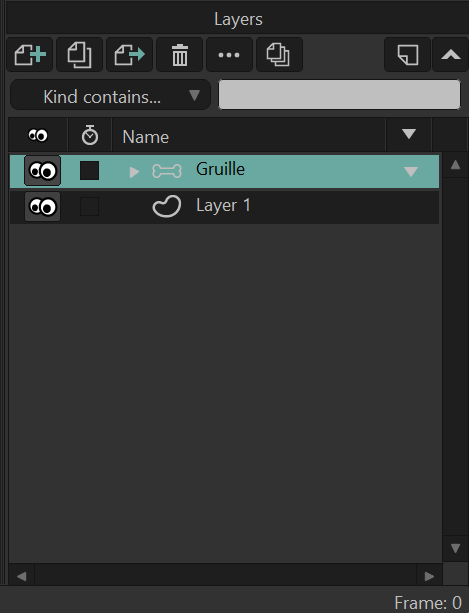
Welcome to Layers: When you create a new project in Moho, it automatically adds a Vector Layer called Layer 1. This layer is where you can start drawing right away, but you don’t have to keep it—you can delete it if you don’t need it.
It looks like there is one layer to Gruille, but if you click the arrow on the …

Bone Layer:
It will expand out and you can see the Limbs, the Body group, and Tail.
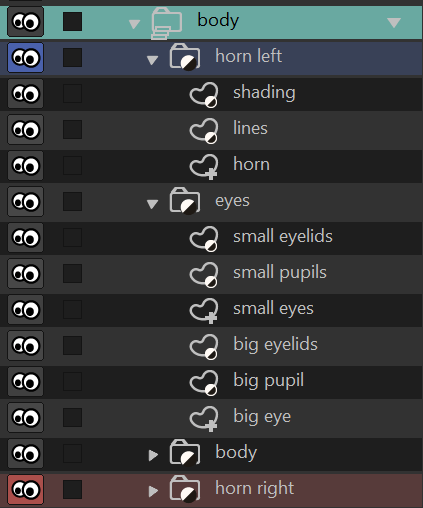
You can open (expand) the Body group and see that it contains Horn Left and Eyes, which are themselves groups. Inside these groups are your actual artwork layers, like lines, shading, or other vector elements.
You can have groups within bones and bones within groups, but you can’t have bones controlling a regular group—only a bone layer can do that.
A Bone Layer is a special type of group that let’s you animate characters using bones. think of it as a special container in Moho: it holds all the artwork you want to animate—like arms, legs, or eyes—while also storing the skeleton data (the bones and how they’re connected).
1. Bone Layer (Top Level)- Main Control layer.
2. major body parts- body divided into large body sections.
3.subgroups for details- smaller groups of vector art.
💡Big → medium → small.
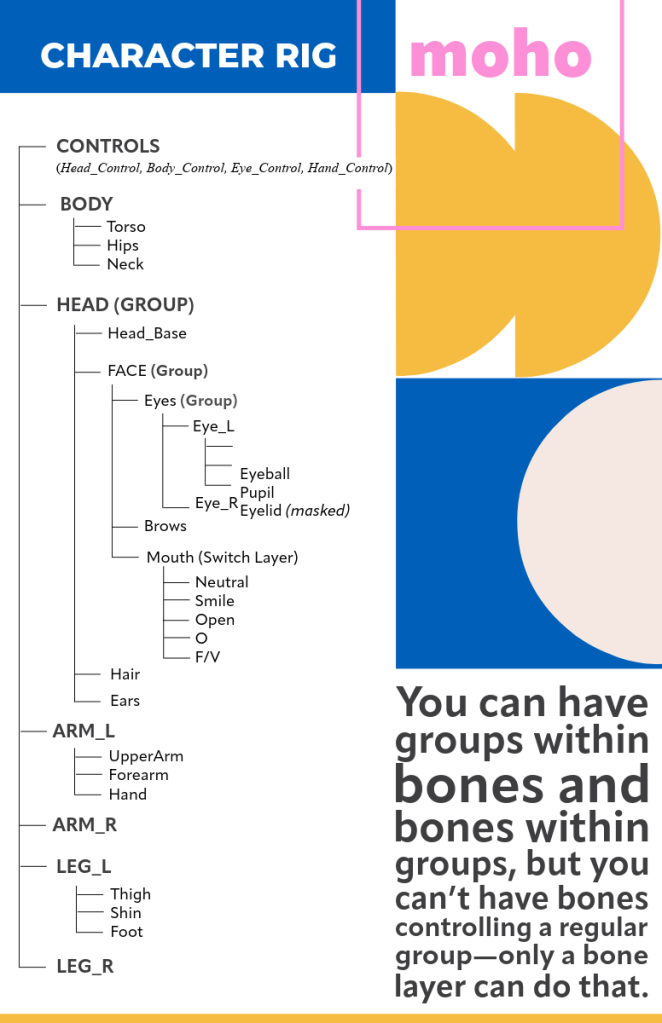
More on Bone Layers HERE.
So that’s bones, layers, and hierarchy in five minutes. Neat, clean, stacked. Groups hold. Bones move. Easy enough… on video. Reality in 3.2.1. Until next time movers. xo
 nikolaidesigns.com